For people who’d rather not use an ad blocker
No more hunting
for the “×”.
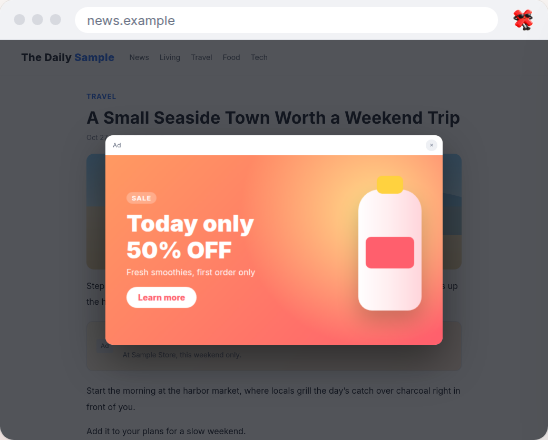
You open an article, and an ad instantly covers the whole screen. You hunt for the tiny close button, miss it, and end up on another page.
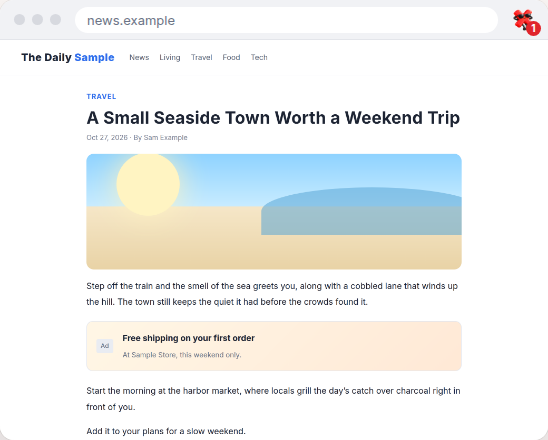
XLess automatically hides only those intrusive full-screen ads and page-blocking overlays. Regular in-page ads stay visible, letting you support the sites you love and read as usual.
WHO IT’S FOR
You don’t really want an ad blocker.
You want your favorite sites to earn fair revenue from their ads
You’re annoyed when ad blockers break page layouts or trigger “please disable your ad blocker” warnings
But you’re fed up with full-screen ads and hunting for tiny close buttons
XLess is built for people like you, putting an end to the hunt for the “×”.
WHAT IT HIDES
Hides only the ads that get in the way.
XLess uses 18 targeted detection rules focused on full-screen ads and page-blocking overlays. You can toggle each rule on or off, check its false-positive risk, and see how many times it has been triggered.
WHAT IT KEEPS
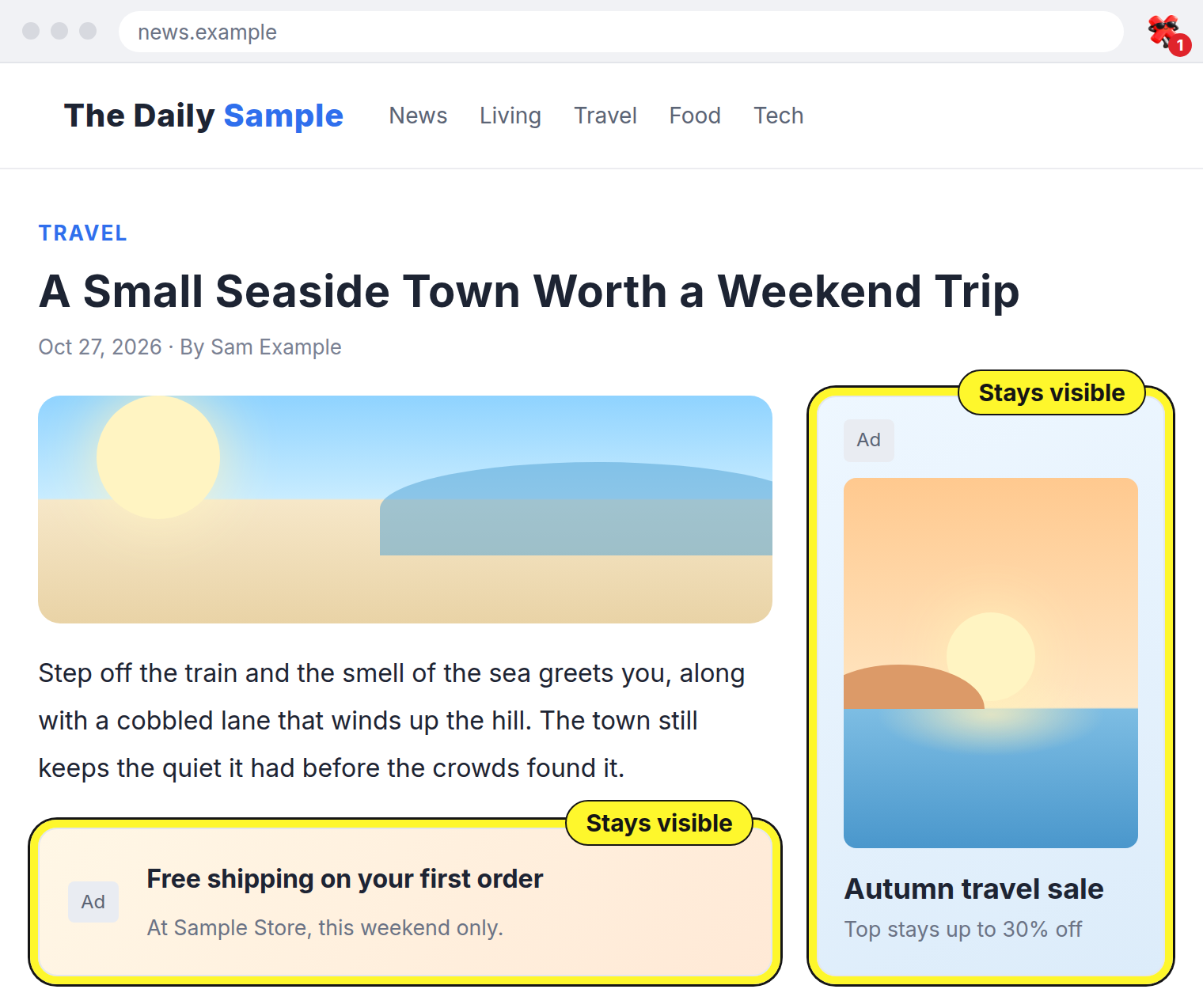
Regular ads stay where they are.
Standard ads in the sidebar or between paragraphs help keep articles free to read. XLess doesn’t hide them.
Keep supporting sites
Because regular ads stay visible, you can keep supporting the sites you visit, just as before.
Layouts stay intact
Since ad slots aren’t removed, you won’t see the awkward blank gaps or broken layouts often caused by ad blockers. Pages look the way they were designed to.
Fewer ad-blocker warnings
Because XLess doesn’t block network requests for ads, you’re much less likely to run into “please disable your ad blocker” messages.
By default, XLess does mute sudden audio and pause flashing animations on regular ads too. You can easily turn this off in Settings.
FEATURES
Full control, always one click away.
See what was hidden, at a glance.
The toolbar icon shows how many ads were hidden on the current tab. Check the details via the popup or a persistent side panel, and exclude any site with a single click.
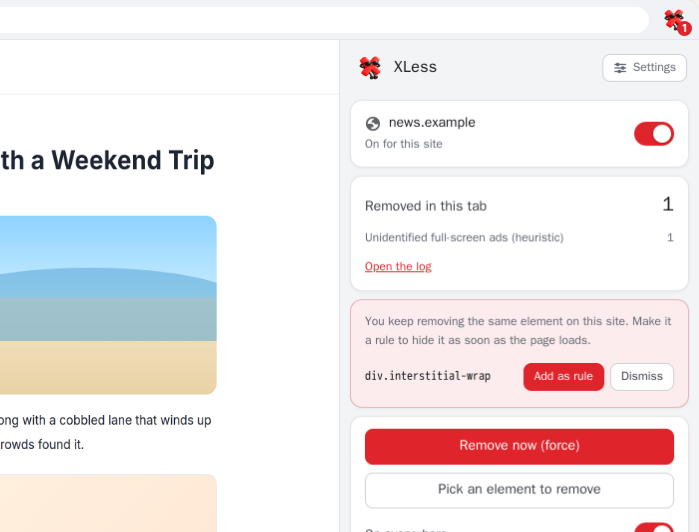
Missed one? Click it away.
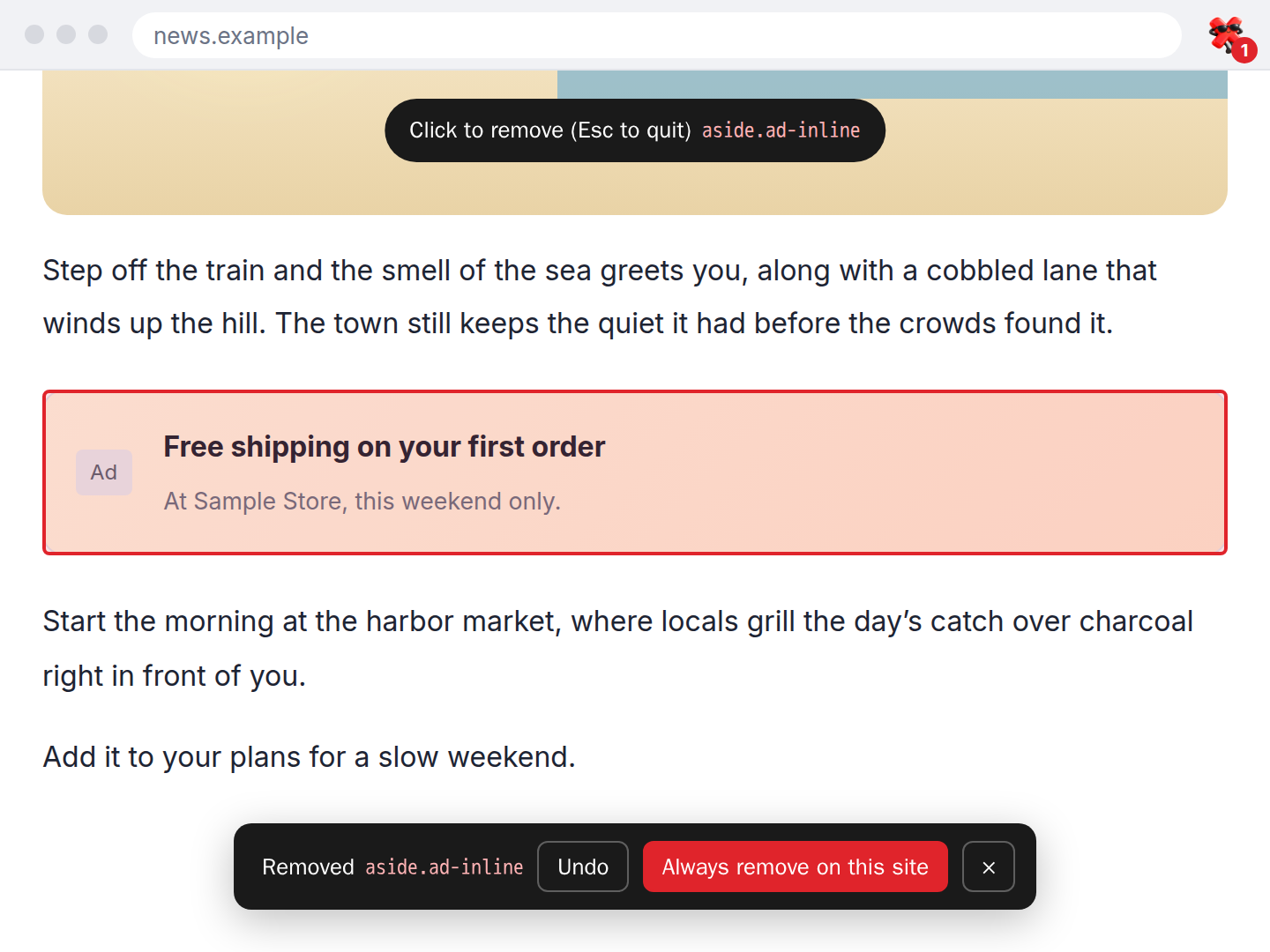
If an annoying ad slips through, remove it manually using the element picker, the right-click menu, or the emergency shortcut (Alt+Shift+X). You can undo a removal right away. If you hide the same element repeatedly, XLess will offer to turn it into a rule.
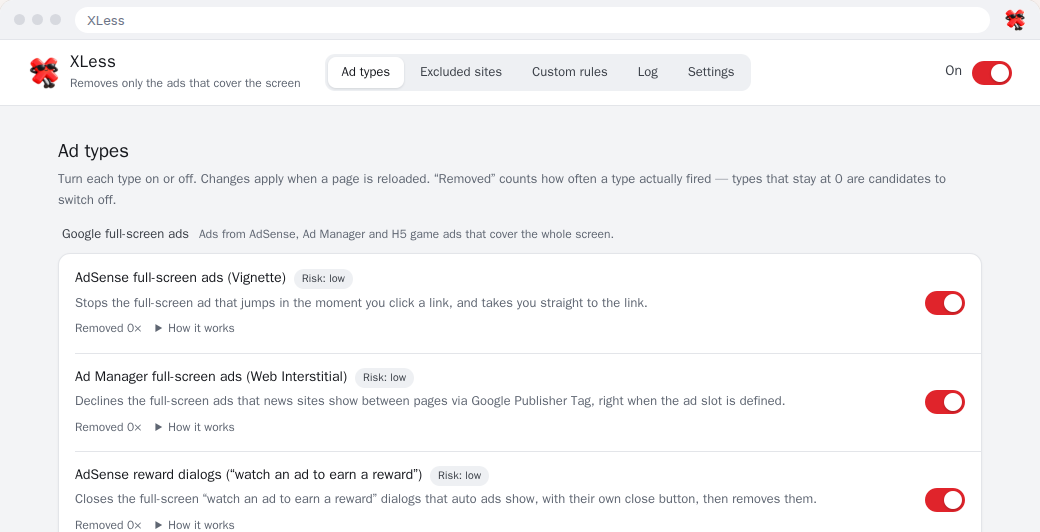
Fine-tune all 18 detection rules.
Toggle each rule individually, view its false-positive risk, and see how often it triggers. For anything automatic detection misses, you can also add custom per-site rules (CSS selectors).
PRIVACY
Your logs stay on your device.
All ad detection happens locally on your computer, and your browsing data is never sent to the developer. The log of what was hidden stays strictly in Chrome’s local storage, and you can pause or clear it at any time.
- No browsing data ever leaves your device
- No built-in analytics or ads
- No account required
- Logging can be paused or cleared anytime
HOW IT WORKS
Install once, then read as usual.
Add to Chrome
Install it from the Chrome Web Store. No setup needed.
Read as usual
When an intrusive full-screen ad appears, XLess automatically hides it and shows the count on the toolbar icon.
Exclude a site if needed
If a page doesn’t look right, you can exclude that site with one click from the popup.
FAQ
How is it different from an ad blocker?
Traditional ad blockers remove ads across the board. XLess only hides full-screen ads and overlays that block the page. Regular ads stay visible, so you keep supporting sites and page layouts don’t break. It doesn’t block ad network requests either.
Does it hide regular ads?
No. Standard in-page ad slots stay visible. By default, XLess only mutes sudden ad audio and pauses distracting animations, which you can turn off in Settings.
How much does it cost?
It’s completely free, and no account is required.
Which browsers does it support?
Desktop Google Chrome (version 120 or later). You can also add it to Microsoft Edge from the Chrome Web Store, though it’s tested on Google Chrome.
Why does it need access to all websites?
Because full-screen ads can appear on any site. Page elements are inspected strictly on your device, and page content is never sent anywhere.
What if a site doesn’t look right?
Exclude the site from the popup, or turn off the relevant detection rule in Settings. The activity log shows which rule hid what.
Which languages does it support?
English and Japanese. The interface automatically matches your Chrome display language.
Say goodbye to hunting for the “×”.
Keep regular ads visible and hide only the intrusive full-screen ones. Get XLess for free.
 Add to Chrome (Free)